FOR SOUTH AFRICAN CCTV INSTALLERS · WORKS ON YOUR PHONE
CCTV Studio

Drop the cameras on the plan. The coverage, recording days and quote come out by themselves.

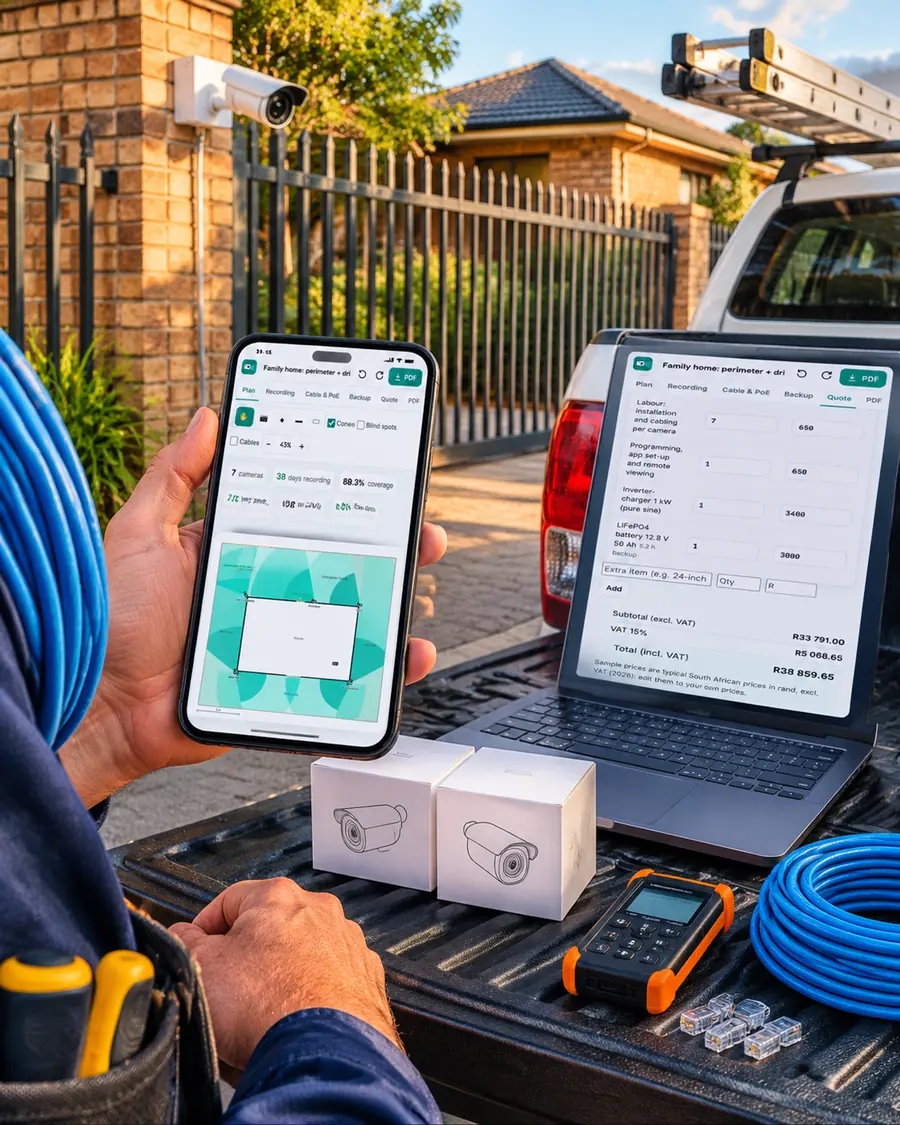
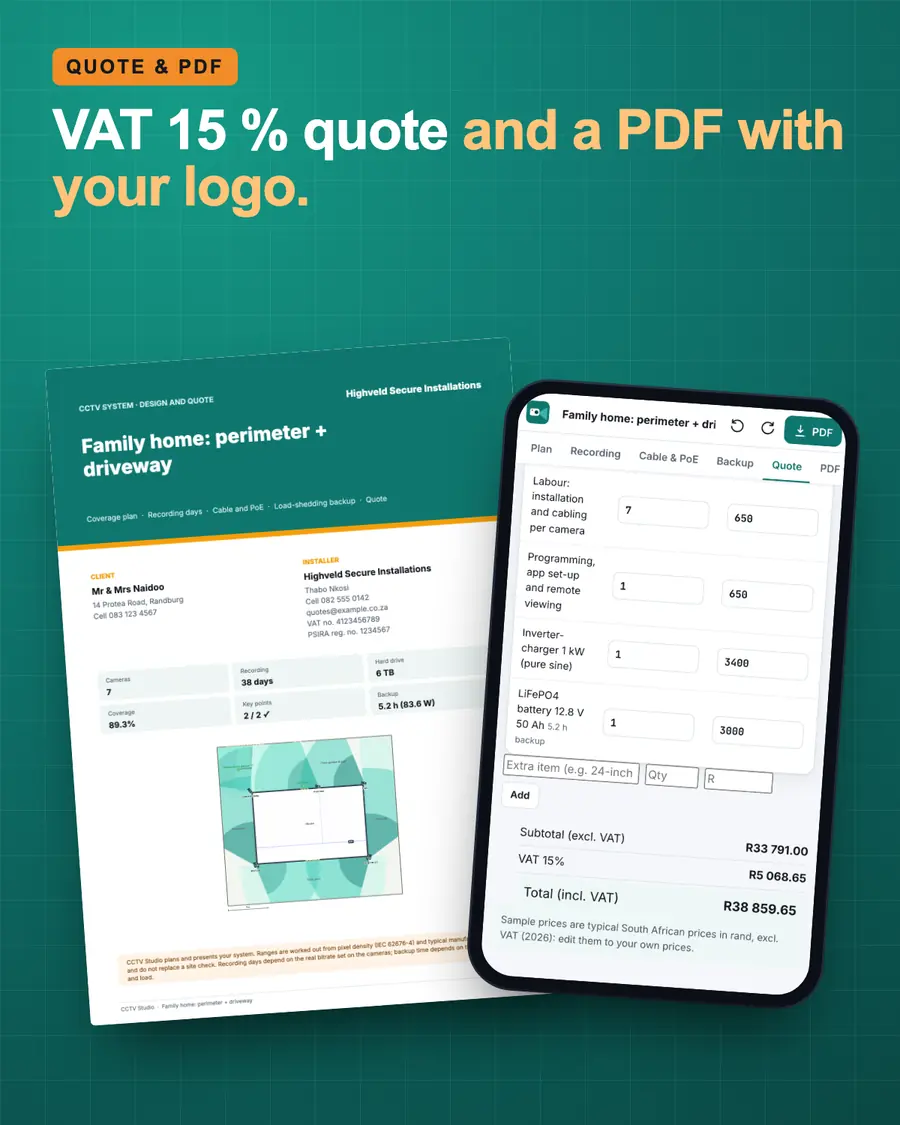
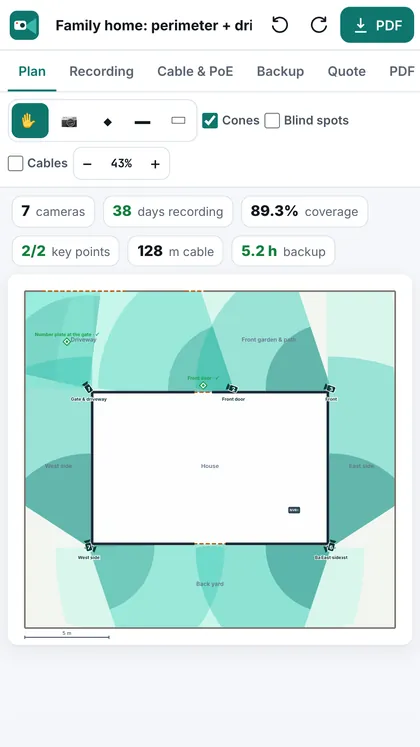
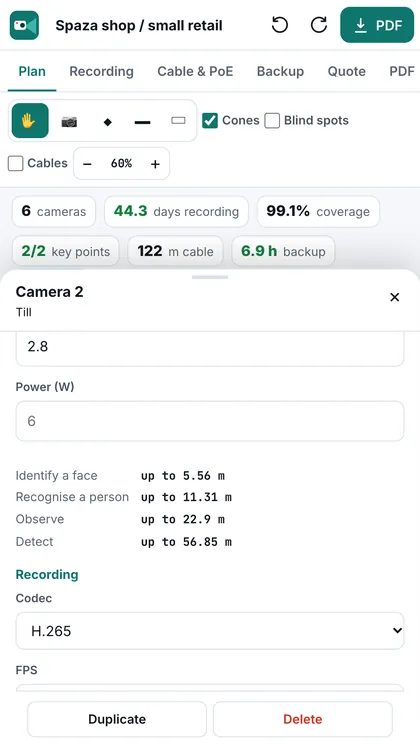
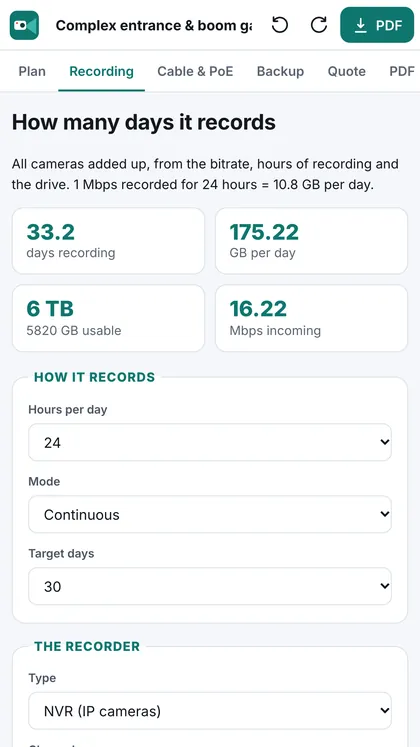
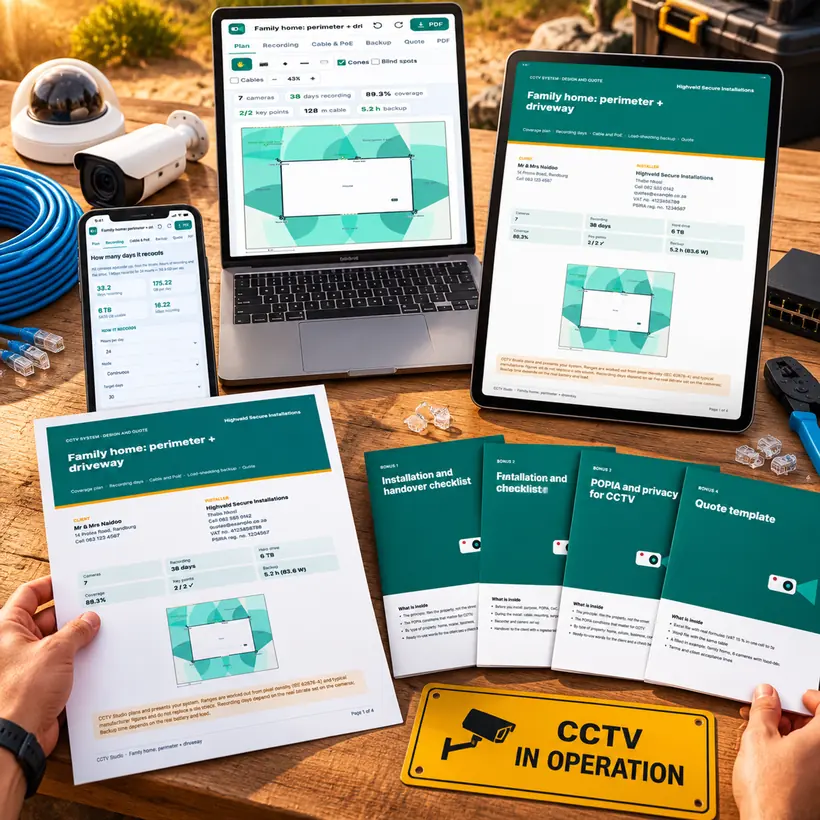
Draw the property and place the cameras. CCTV Studio shows the coverage cones and blind spots, checks if the lens reads a face or a number plate, works out the recording days and the drive, the cable and PoE, the load-shedding backup, and puts together a quote with VAT 15 % and a PDF with your logo. On your phone, tablet or computer, with nothing to install.

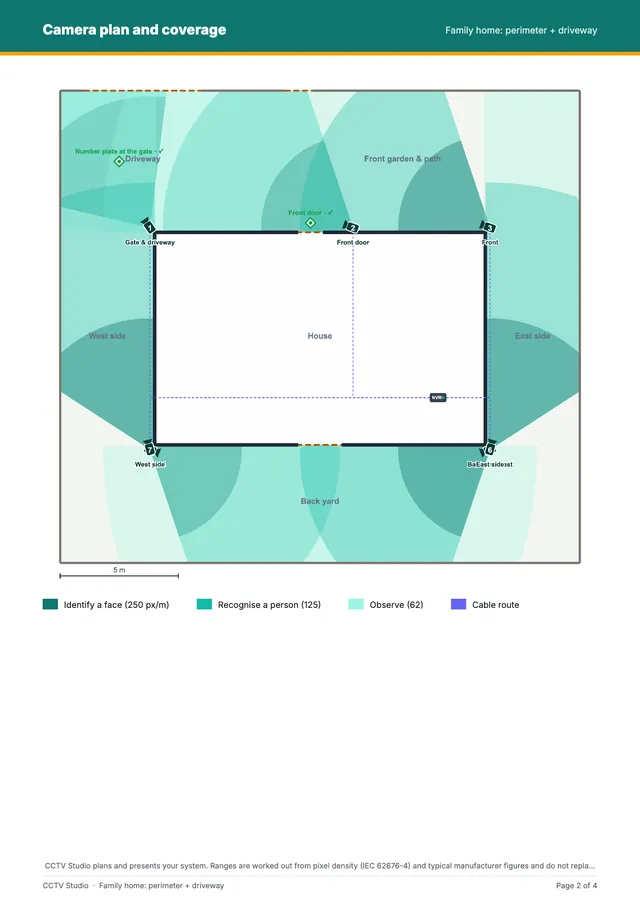
  • Coverage plan with cones, blind spots and DORI distances
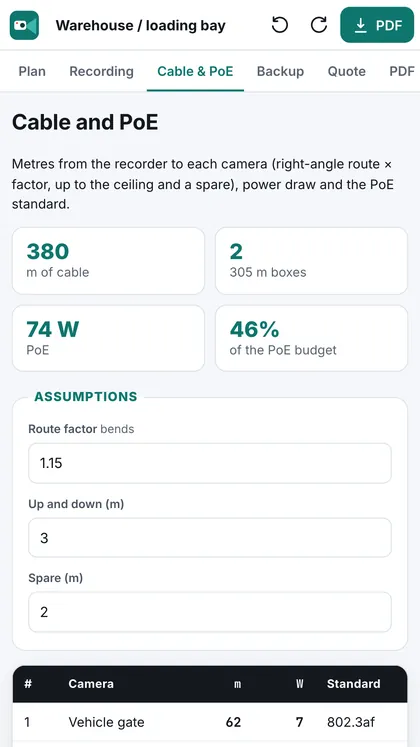
  • Recording days, drive size, Cat6 metres and PoE budget
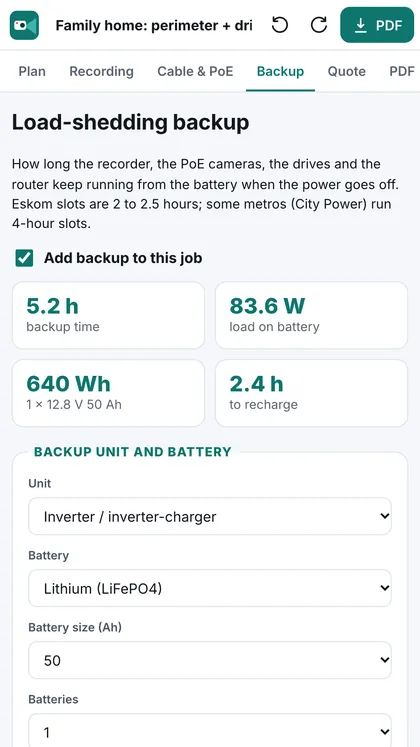
  • UPS or inverter and battery for the load-shedding hours you want
  • 12 ready-made South African jobs · One-off payment · 30-day guarantee
CCTV Studio, image 1CCTV Studio, image 2CCTV Studio, image 3CCTV Studio, image 4CCTV Studio, image 5CCTV Studio, image 6
Yes, I want CCTV Studio · R349

One-off payment · Access by email straight after payment · 30-day guarantee

Price in South African rand (ZAR), VAT included where it applies

How it works

From site walk to quote, on your phone

Pick a job, move a camera, change the lens or the drive, add a battery, make the PDF. The plan, the recording days, the materials list and the quote keep up with every change you make.

App screenApp screenApp screenApp screenApp screenApp screenApp screenApp screen
Yes, I want CCTV Studio · R349
The problem

You do a neat install. Your quote says otherwise.

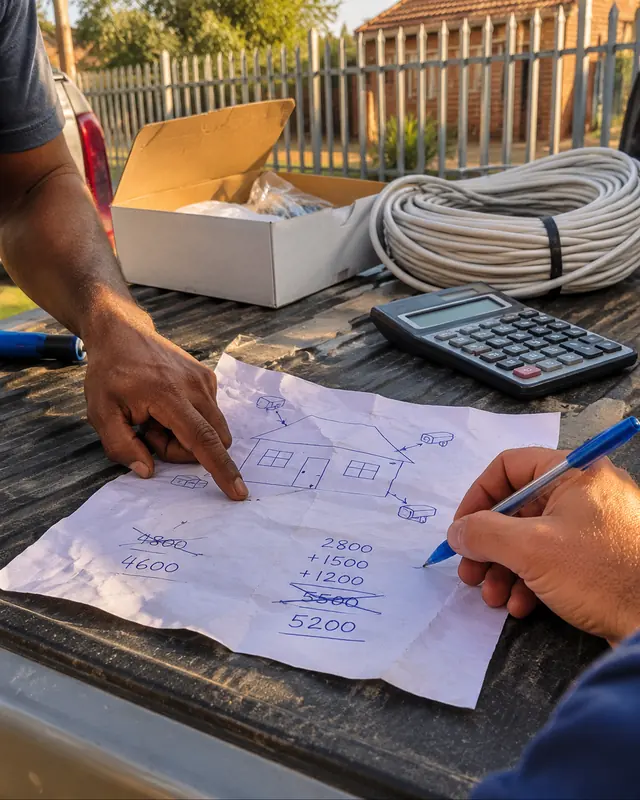
The cameras are level, the cable is clipped straight, the NVR is set up on the client's phone. But the quote was a total on WhatsApp, the lenses were picked by feel and nobody worked out the drive or the backup. Same job, a completely different impression, and the risk of a callback.

A hand sketch of a house with camera arrows on paper
Without: a sketch and a guess
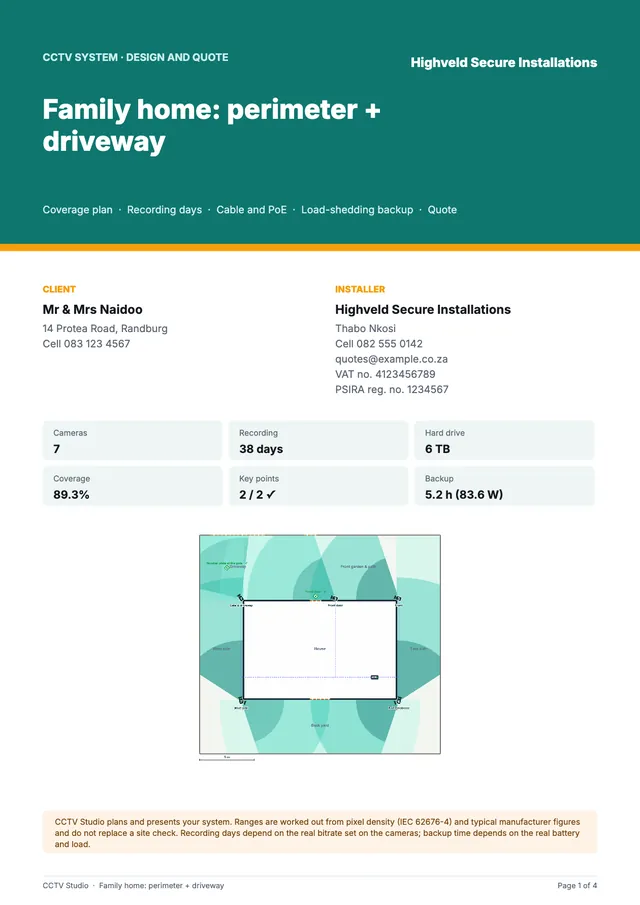
PDF cover page with your logoCoverage plan in the PDF
With CCTV Studio: a PDF with your logo
How it works

Three steps. That's it.

1

Pick one of 12 ready-made jobs

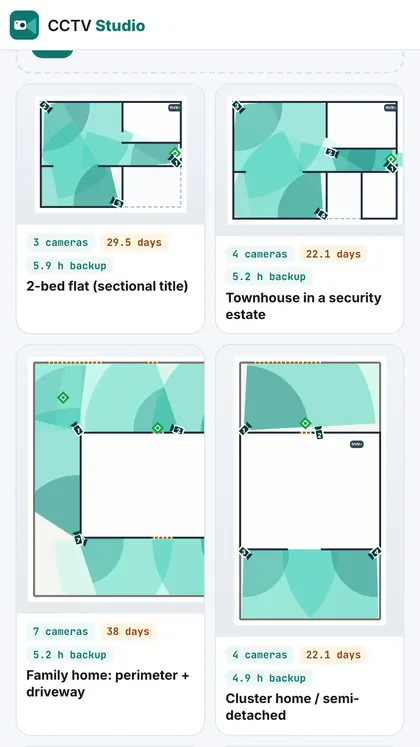
Flat, townhouse in an estate, family home perimeter + driveway, cluster, top-floor apartment, spaza shop, restaurant, office with reception, complex entrance & boom gate, warehouse, salon or medical rooms, small farm gate. Or start from an empty plan.

2

Place the cameras on the plan

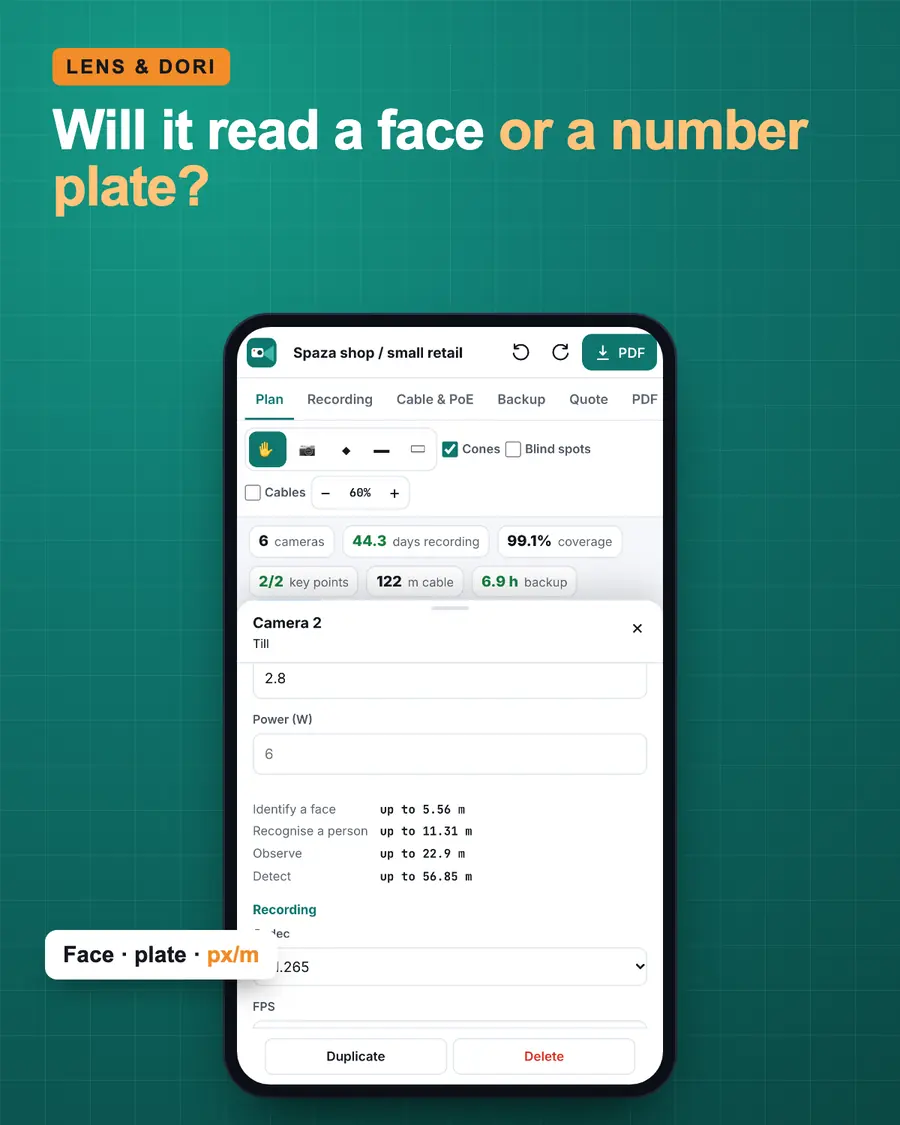
Draw the property, drop the cameras and see the coverage cones and blind spots. Pick the lens and check face and number-plate distance (DORI). Set resolution, codec and hours, and see the recording days and the drive you need.

3

Cable, backup and quote come out

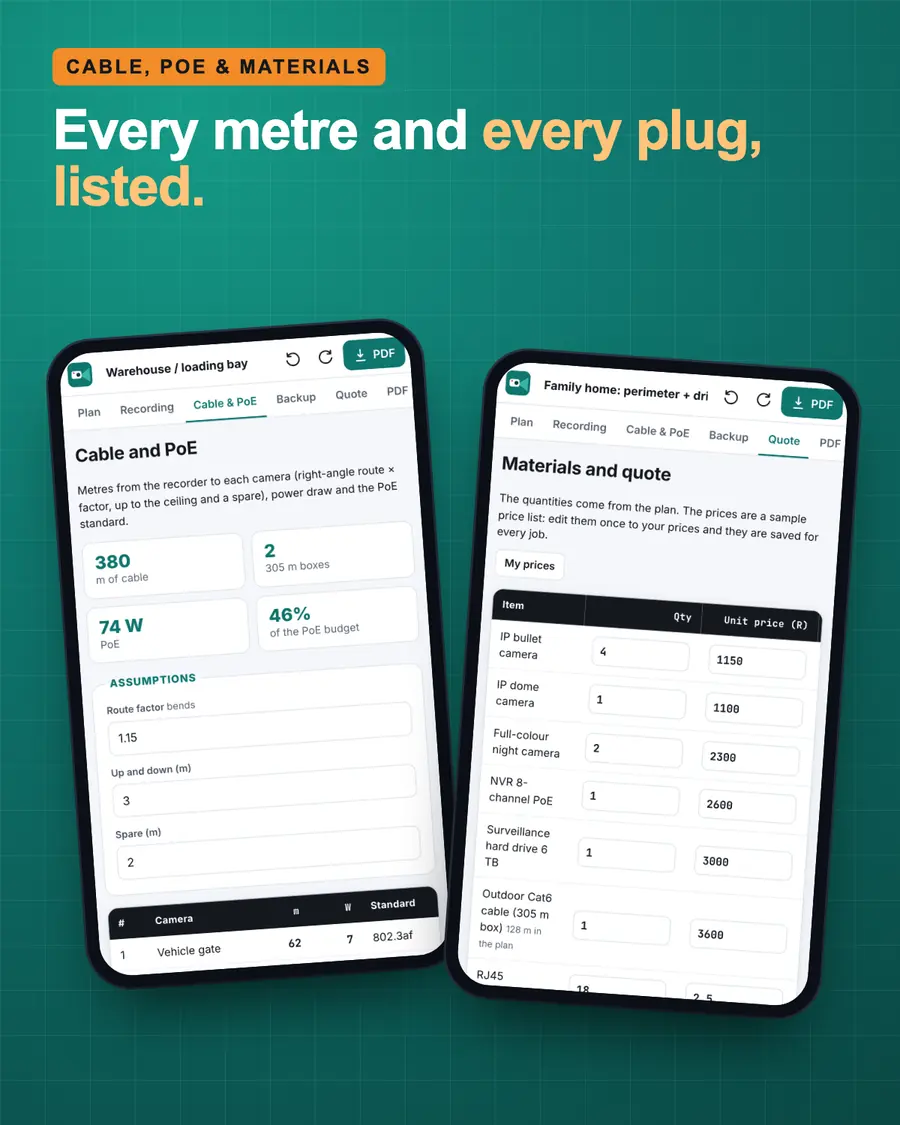
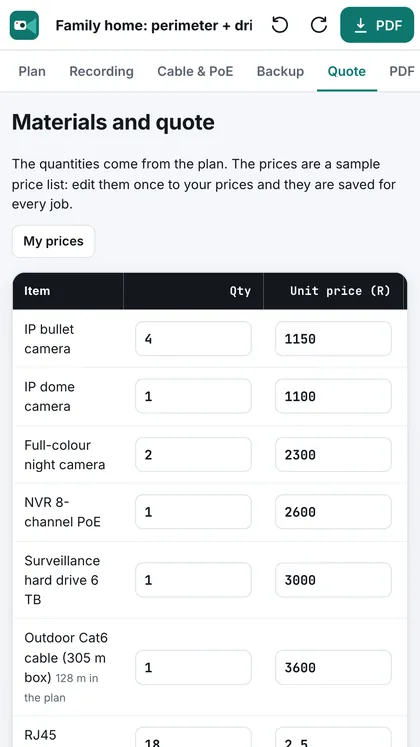
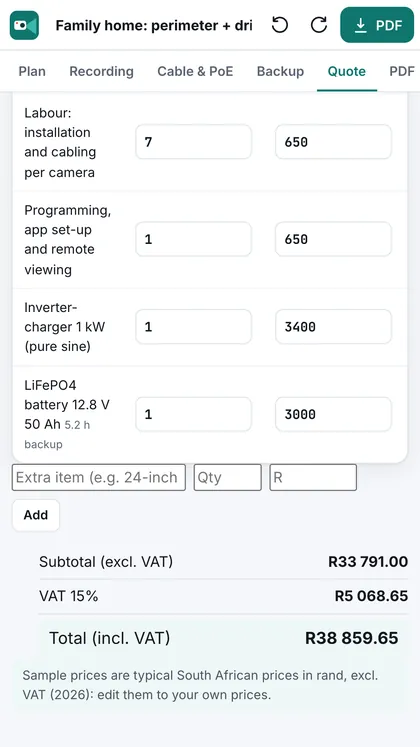
Metres of Cat6 per camera, PoE budget, switch and plugs. The UPS or inverter and battery for the load-shedding hours you want. Then a quote with your rates and VAT 15 %, and a PDF with your logo for WhatsApp or email.

Yes, I want CCTV Studio · R349
What's at stake

Same install. A very different result.

01

A camera that can't read the plate

The client wanted the number plate at the gate. The 2.8 mm camera you put there shows a car, not a plate. Now it's a callback, a new camera and a ladder, at your cost.

02

The drive is full after 9 days

You promised a month of footage. Eight cameras on 4MP and the 2 TB drive overwrites itself in under two weeks. The client finds out the day he needs last week's recording.

03

Load-shedding kills the recorder

Stage 4 hits, the NVR goes dark for two hours, and that's exactly when the gate gets pushed. A small UPS and a battery would have kept it running, if anyone had worked it out.

04

The job goes to someone else

Not because he's better, but because his quote arrived first, itemised, with a coverage plan and his logo on it.

What you get

CCTV Studio + 5 bonuses

The CCTV Studio pack
  • CCTV Studio, the web app for your phone, tablet and computer
  • Coverage plan with cones and blind spots, and face and number-plate distance per lens (DORI)
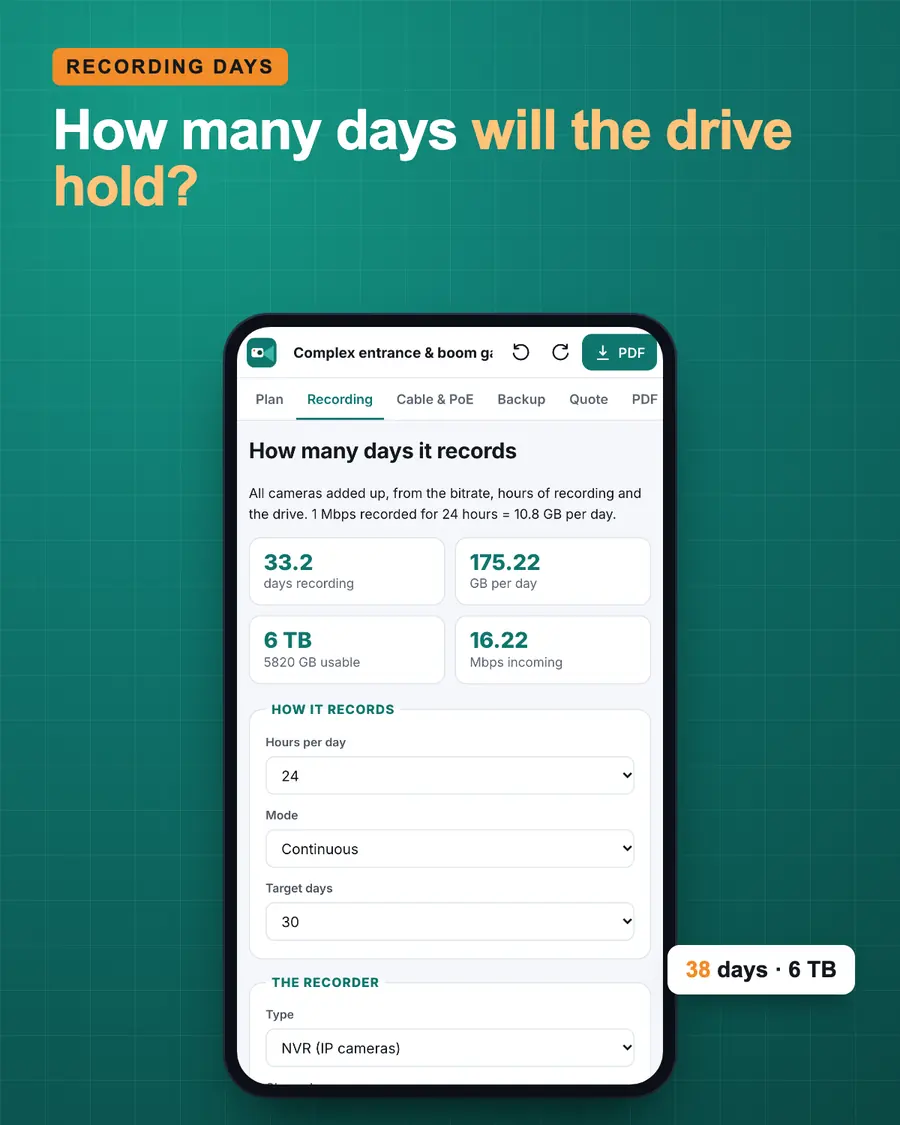
  • Recording days and drive size by resolution, codec and hours
  • Cat6 metres per camera, PoE budget, switch, plugs and boxes, worked out for you
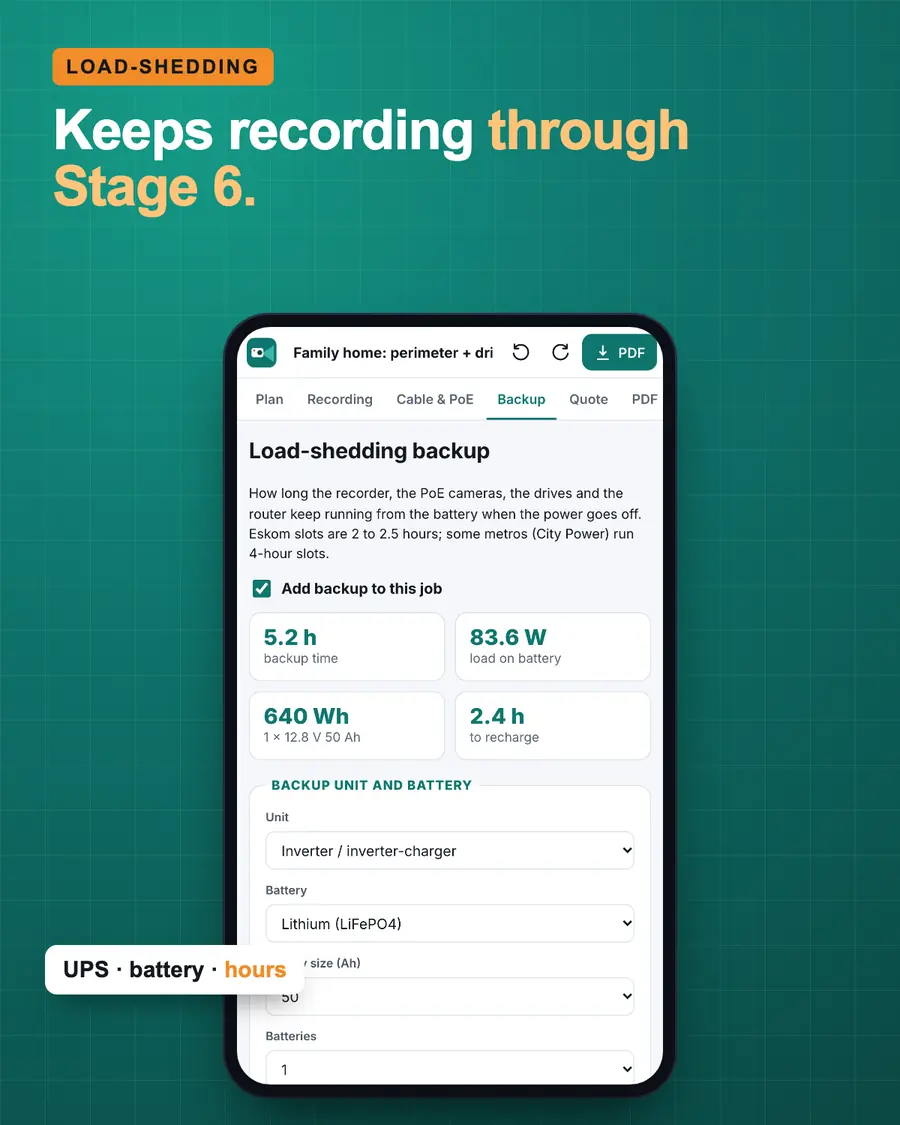
  • Load-shedding backup: UPS, inverter or DC UPS, battery size and hours
  • A quote with your rates and VAT 15 %, and an A4 PDF with your logo, PSIRA and VAT numbers: cover, plan, cameras, backup and quote
12 ready-made South African jobs
Bonus 1

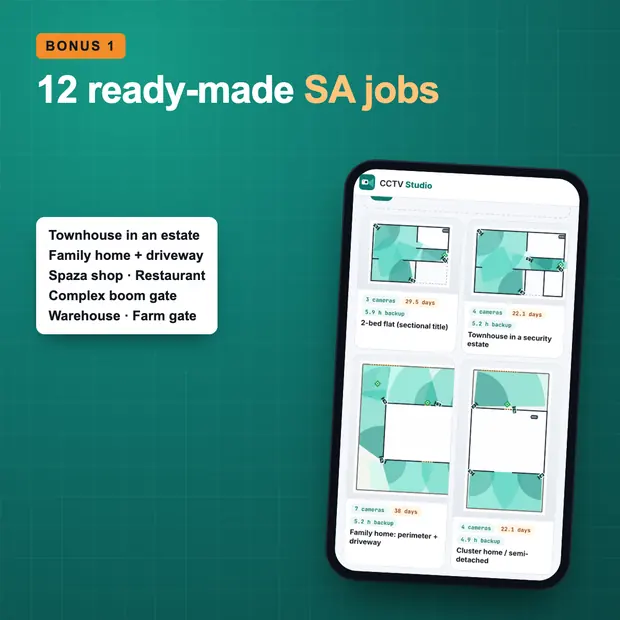
12 ready-made South African jobs

From a flat to a warehouse: townhouse in an estate, family home with driveway, cluster, spaza shop, restaurant, office, complex boom gate, salon or medical rooms and a small farm gate. Cameras, recording and backup already set. You never start from an empty screen. It's inside the app.

Installation & Handover Checklist
Bonus 2

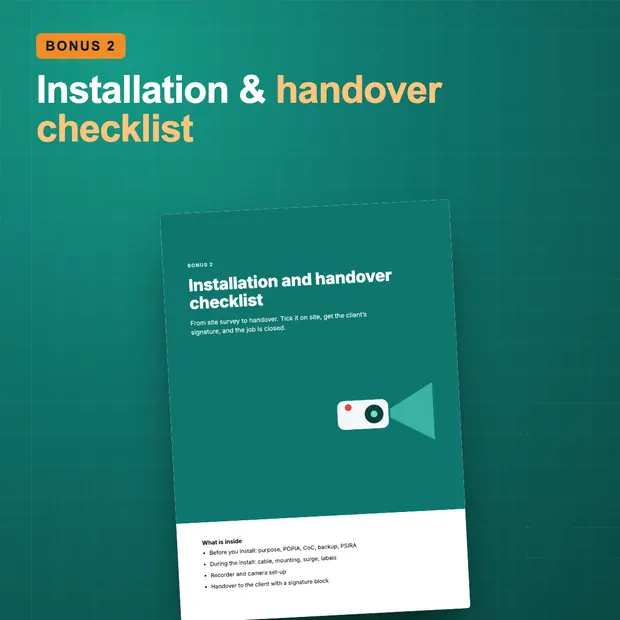
Installation & Handover Checklist

Survey, mounting, cabling, NVR set-up, remote viewing on the client's phone, backup test and the sign-off page. Nothing forgotten, and a signed handover in your file. Printable PDF.

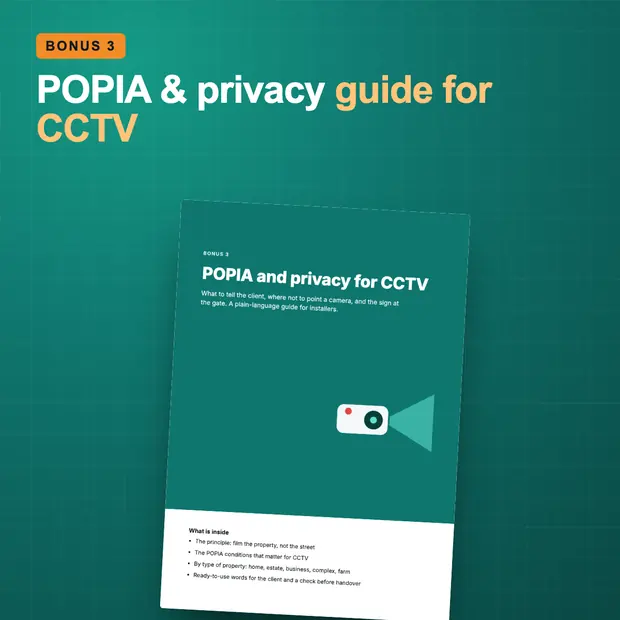
POPIA & Privacy Guide for CCTV
Bonus 3

POPIA & Privacy Guide for CCTV

What POPIA means for a CCTV install: signage, cameras that look at the street or the neighbours, private areas, retention and who the responsible party is. Plain English, with the points to verify. PDF.

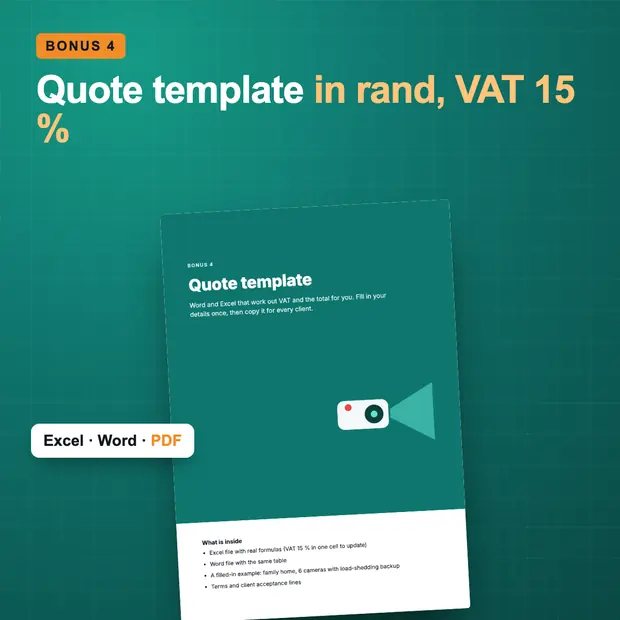
Quote Template
Bonus 4

Quote Template

A quote in rand that looks as professional as your work. In Excel (it works out the subtotal, VAT 15 % and the total for you), in Word, and a filled-in PDF example.

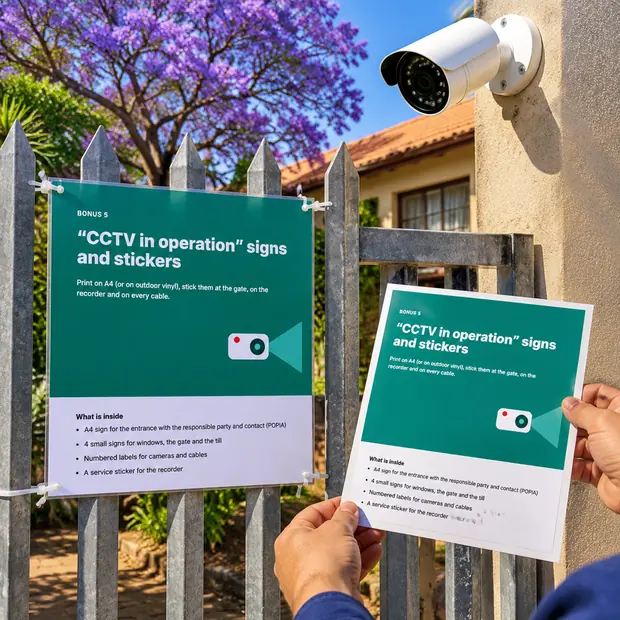
“CCTV in operation” Signs & Stickers
Bonus 5

“CCTV in operation” Signs & Stickers

Print-ready signs for the gate and the wall, with space for the responsible party and contact, plus window stickers and a service sticker with your number for the NVR. PDF.

Everything in one payment

CCTV Studio + 5 bonuses

R349

One-off payment, no subscription. You pay in rand at checkout.

Price in South African rand (ZAR), VAT included where it applies

  • CCTV Studio (web app)
  • Bonus 1 · 12 ready-made South African jobs
  • Bonus 2 · Installation & Handover Checklist
  • Bonus 3 · POPIA & Privacy Guide for CCTV
  • Bonus 4 · Quote Template (VAT 15 %)
  • Bonus 5 · “CCTV in operation” Signs & Stickers
Yes, I want CCTV Studio · R349
30-day guaranteeSecure paymentPhone, tablet and computerNo subscription
30DAYS

30-day guarantee, no questions asked

Use CCTV Studio on your next quote. If it doesn't suit the way you work, email us within 30 days and you'll get your money back.

You've got three options

Which one will you choose?

1

Leave everything as it is

Pick lenses by feel, guess the drive size, forget the backup and send one line on WhatsApp. It works, until the callback for the plate that can't be read.

2

Learn design software

Spend weekends on a desktop design tool built for big integrators, in dollars, and still build the quote by hand. For a townhouse with six cameras, that's a sledgehammer to crack a nut.

3

CCTV Studio, today

Draw the property, drop the cameras, and the coverage, recording days, cable, backup and quote come out by themselves, with a PDF with your logo. For R349, once.

Yes, I want CCTV Studio · R349

One-off payment · Access by email straight after payment · 30-day guarantee

Frequently asked questions

Straight answers

Do I need to install anything?

No. CCTV Studio is a web app: you open it in the browser on your phone, tablet or computer. Want it on your home screen like an app? Use your browser menu (‘Add to Home Screen’). Once opened, it also works without signal.

Does it work on my phone?

Yes. It works on your phone, tablet and computer. A bigger screen shows more of the plan at once, but you can do everything on your phone, on site.

Does it work with my brand of cameras?

Yes. CCTV Studio doesn't depend on a brand: you choose the type (dome, bullet, full-colour, fisheye, PTZ), the resolution and the lens, and the app works with those figures. Prices are yours to set.

How does it work out the recording days?

From the number of cameras, resolution, codec (H.264 or H.265), frame rate and recording hours, it estimates the bitrate and how many days fit on the drive. It also suggests the drive size for the days you want. The real figure depends on the bitrate set on the cameras.

And load-shedding?

The Backup tab adds up the recorder, drives, PoE cameras, switch and router, and tells you how many hours a UPS, inverter or DC UPS with your battery will last, or which battery you need for 2, 4, 6 or 8 hours. It goes on the quote and the PDF.

Does it cover POPIA?

It flags cameras that look at the street or into private areas, and the PDF and bonuses include the signage and privacy points. It's guidance, not legal advice: verify with the Information Regulator's guidance.

Are the prices right for my area?

Equipment prices and labour rates come in as typical South African figures, and you change them to your supplier's prices and your own rates. Everything is editable.

Can I send the quote on WhatsApp?

Yes. When the PDF is ready, tap ‘Share’ and pick WhatsApp, email or any other app. You can also download it and print it.

Where are my jobs saved?

On your own device, in the browser. Your jobs, your logo and your client's details are not sent to us.

Is it a subscription?

No. You pay R349 once. No monthly fee and no auto-renewal.

What if it's not for me?

You've got a 30-day guarantee. Email zipimportar@gmail.com and you'll get your money back, no questions asked.

Drop the cameras on the plan. The coverage, recording days and quote come out by themselves.

The web app, 12 ready-made jobs, 4 bonuses to download, one payment and a 30-day guarantee.

Yes, I want CCTV Studio · R349

One-off payment · Access by email straight after payment · 30-day guarantee

Yes, I want CCTV Studio · R349